


How Vendor Price Comparison Works in NxtEdge
NxtEdge helps operators compare distributor pricing side-by-side before placing an order. Products are normalized by pack size, unit of measure and specification so you can identify the true best value across vendors.
Whether pricing is received through EDI, vendor portals, email price lists or invoices, NxtEdge gives your team real-time purchasing visibility and helps control costs before products reach your back door.
- Save 8–12% on Purchases
- True Pack & Size Comparison
- Real-Time Vendor Pricing
- Side-by-Side Vendor Visibility
- One-Click Vendor Ordering
How Pricing Enters NxtEdge
Receive vendor order guides, bid sheets, price lists and invoice pricing automatically and accurately through multiple vendor delivery methods.
NxtEdge supports 4 pricing delivery methods.
EDI
Vendor pricing is sent electronically and automatically imported into NxtEdge.
Online Portal
NxtEdge securely connects to supported vendor portals and downloads current pricing automatically.
Vendors email price lists, bid sheets and order guides directly into NxtEdge.
Vendor Invoice
Pricing is automatically updated using your vendor's most recent invoice pricing.
How Vendors Are Compared
Compare products by vendor and specification, normalized by pack, size and unit of measure to reveal true cost and better purchasing options.
More pricing visibility means better purchasing decisions.
Parent Item Comparison
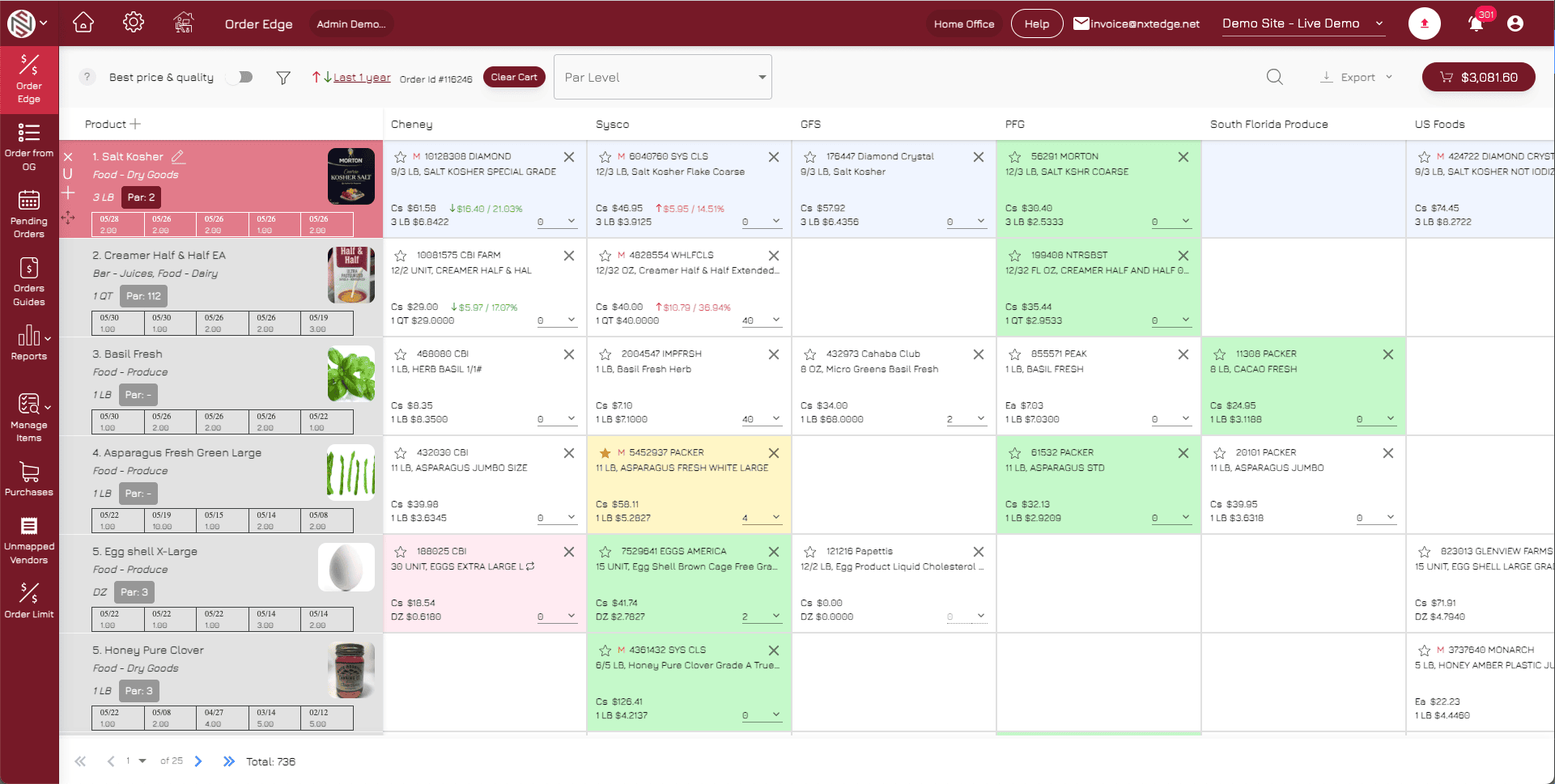
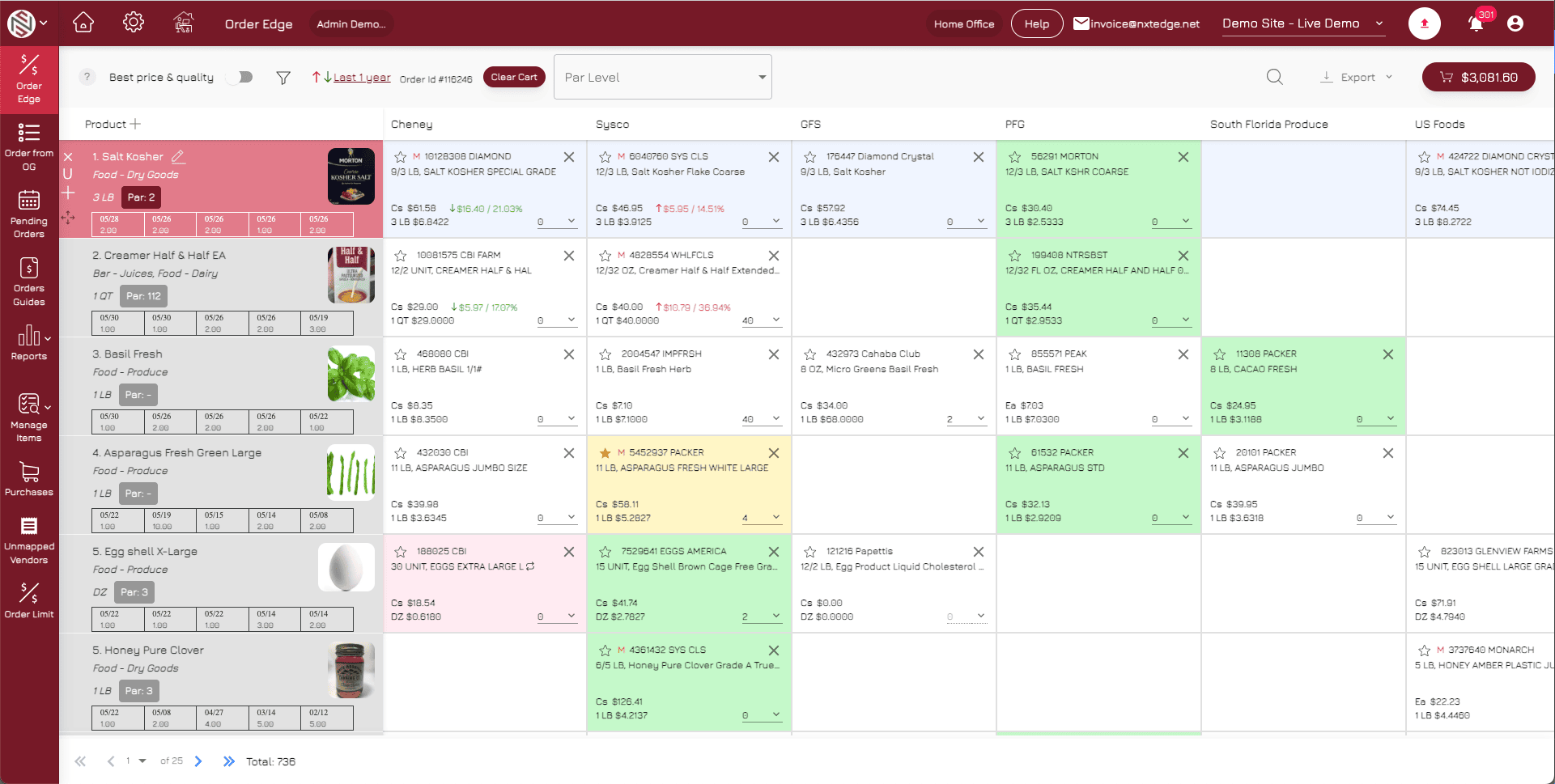
Products are grouped by parent item, allowing similar products and specifications to be compared across multiple vendors in one view. Each row represents your standardized product while vendors are displayed across the top for side-by-side visibility.
Intelligent Price Visibility
Each filled box represents a qualifying vendor product matched to your specification. NxtEdge normalizes products to the lowest common denominator, allowing pricing to be compared consistently across vendors and product specifications.
Color-Coded Purchasing Decisions
- Green = Best Price
- Yellow = Preferred Product
- Pink = Discontinued
How Orders Are Submitted
With a few clicks on your PC or tablet, create purchase orders and submit them directly to multiple purveyors at once. NxtEdge uses color-coded visibility to simplify purchasing decisions — green highlights best price, yellow identifies preferred products and pink marks discontinued vendor items.
Choose the best price and quality.
Build & Review Orders
Add products directly from vendor comparison into your cart, review pricing, verify vendor minimums and adjust delivery dates before submitting your order.
Flexible Order Delivery
Send single vendor orders or submit multiple vendor orders at once. Orders can be delivered through EDI integrations or emailed directly to vendor order lines or sales representative.
Order Anywhere
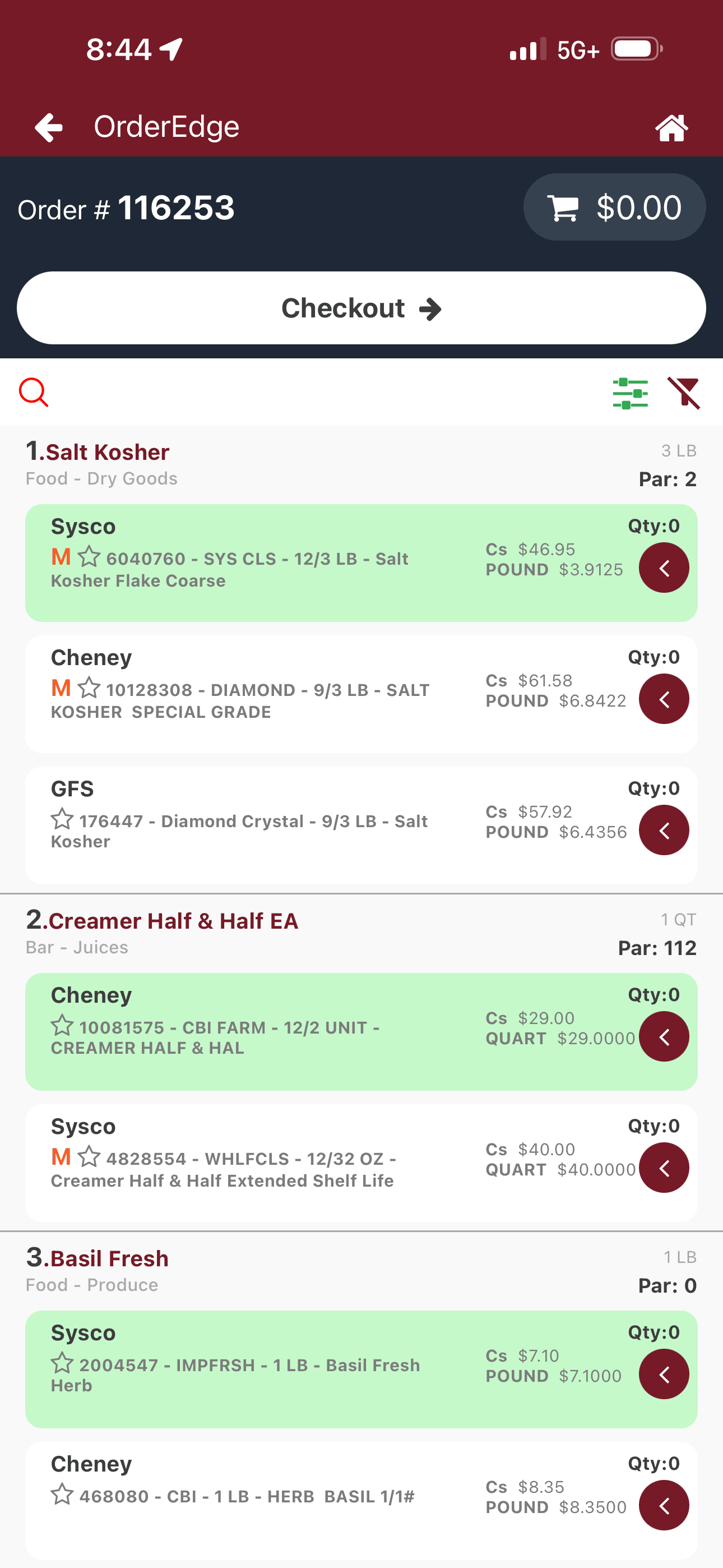
Create and manage orders from the back office, mobile device or printed clipboard workflow. Order guides can be printed for walk-through ordering or entered directly on Apple and Android devices.
Vendor Price Comparison Is Just the Beginning
- Invoice Automation
- Accounting Integration
- Multi-Level Invoice Approval
- Bill Pay
- Food & Beverage Inventory
- POS Integration
- Recipe Depletion & Costing
- Transfers & Requisitions
- Commissary Ordering
- Waste Management
- Reporting & Visibility
- Theoretical Food Cost
Ready to Automate Your Ordering Process?
See how operators upload, compare and order in one connected workflow — and save 8–12% on every purchase.
Schedule a Demo