


Accounting Integration
How Accounting Integration Works in NxtEdge
NxtEdge automatically exports approved invoices into your accounting system, eliminating duplicate entry and reducing accounting workload. Invoice data, vendor information, GL coding, due dates and supporting documentation flow directly into accounting using the method supported by your accounting platform.
Whether through API, FTP, email delivery or file export, NxtEdge helps ensure accounting receives accurate, approved financial data without manual rekeying.
- Automatic Accounting Export
- GL Code Mapping
- Vendor Matching
- Invoice Images When Supported
Capture & Code Invoices
Invoice data enters NxtEdge through Invoice Automation. Coding rules automatically assign GL accounts, departments, locations and expense categories before invoices move through approval workflows.
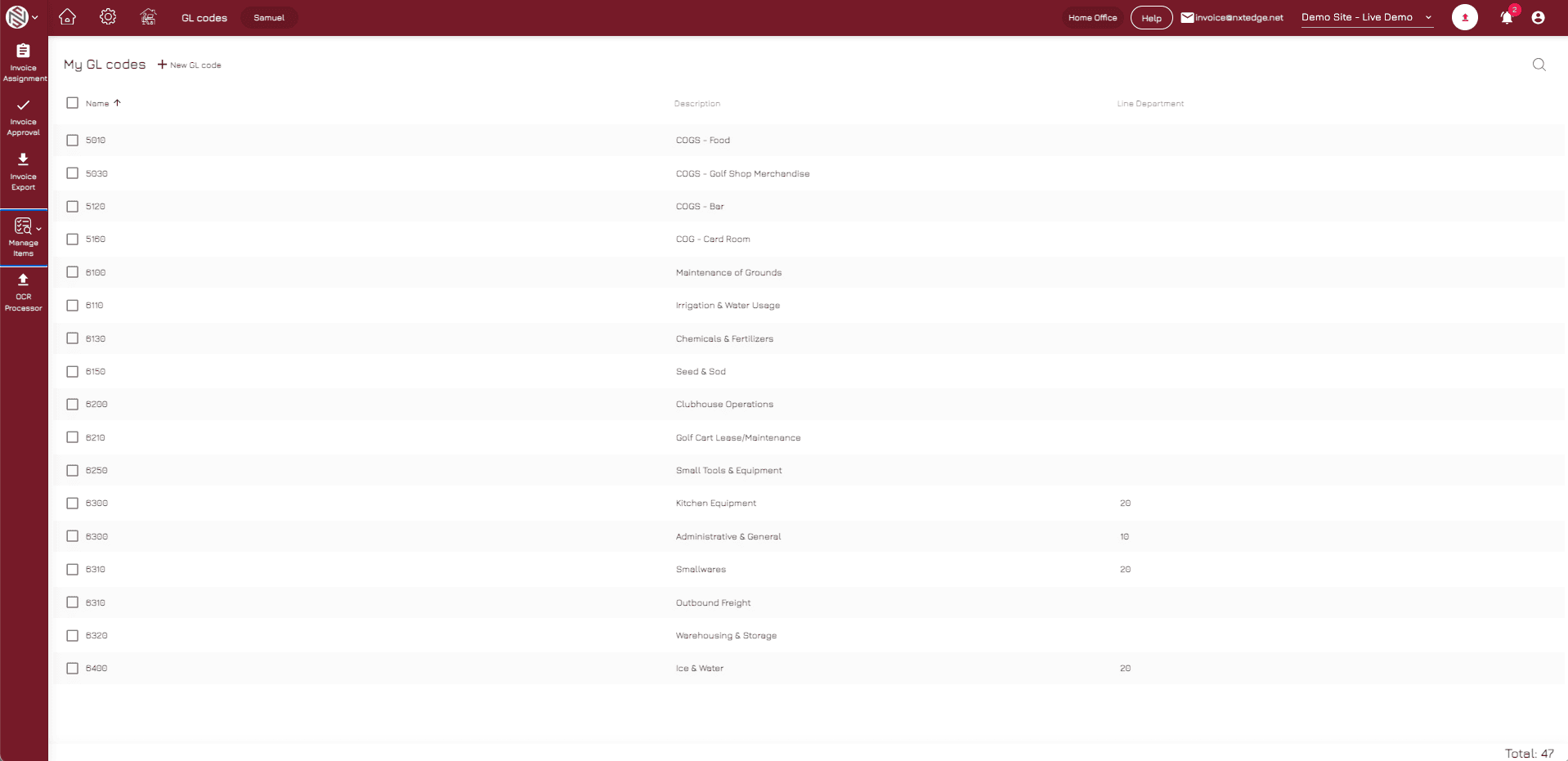
- Automatic GL Coding
Apply GL coding rules automatically before invoices are exported to accounting.
- Department Assignment
Assign invoices to the correct department based on coding and business rules.
- Category Coding
Classify expenses consistently across locations and departments.
- Vendor Identification
Match invoices to the correct vendor record within your accounting system.
- Approval Ready
Prepare coded invoices for approval and financial review.
Approve Financial Data
Before export, invoices move through approval workflows to ensure accounting receives reviewed and approved transactions. Organizations can use simple approvals or multi-level approval chains depending on operational requirements.
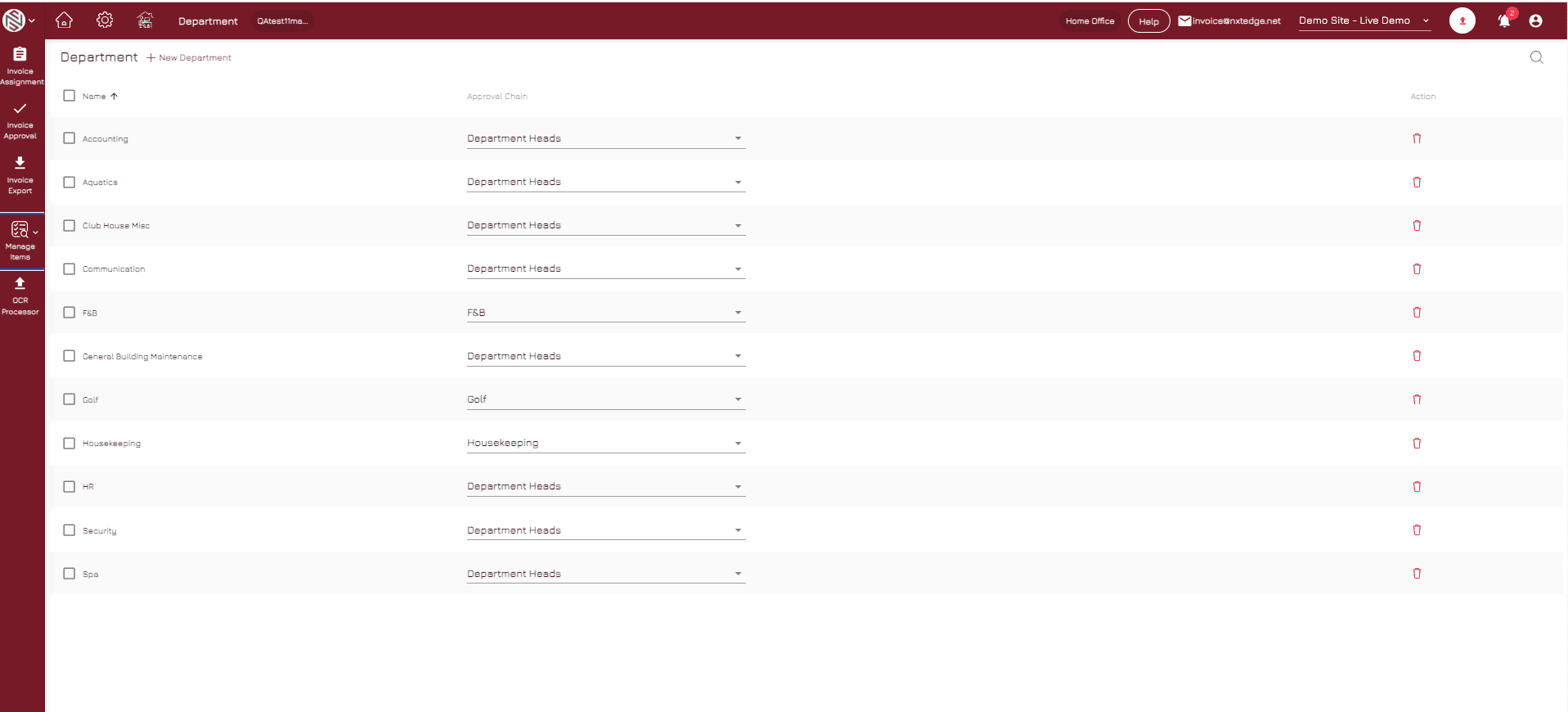
- Approval Validation
Verify invoices have completed required approval workflows before export.
- Audit Trail
Maintain a complete history of coding, approvals and accounting activity.
- Department Review
Allow department managers to review expenses before accounting export.
- Approval Routing
Route invoices through approval chains based on your business rules.
- Financial Controls
Ensure spending policies and approval requirements are enforced.
Export to Accounting
Approved invoices are exported using the communication method supported by your accounting platform. Depending on the accounting system, integrations may use APIs, FTP delivery, email delivery or import files.
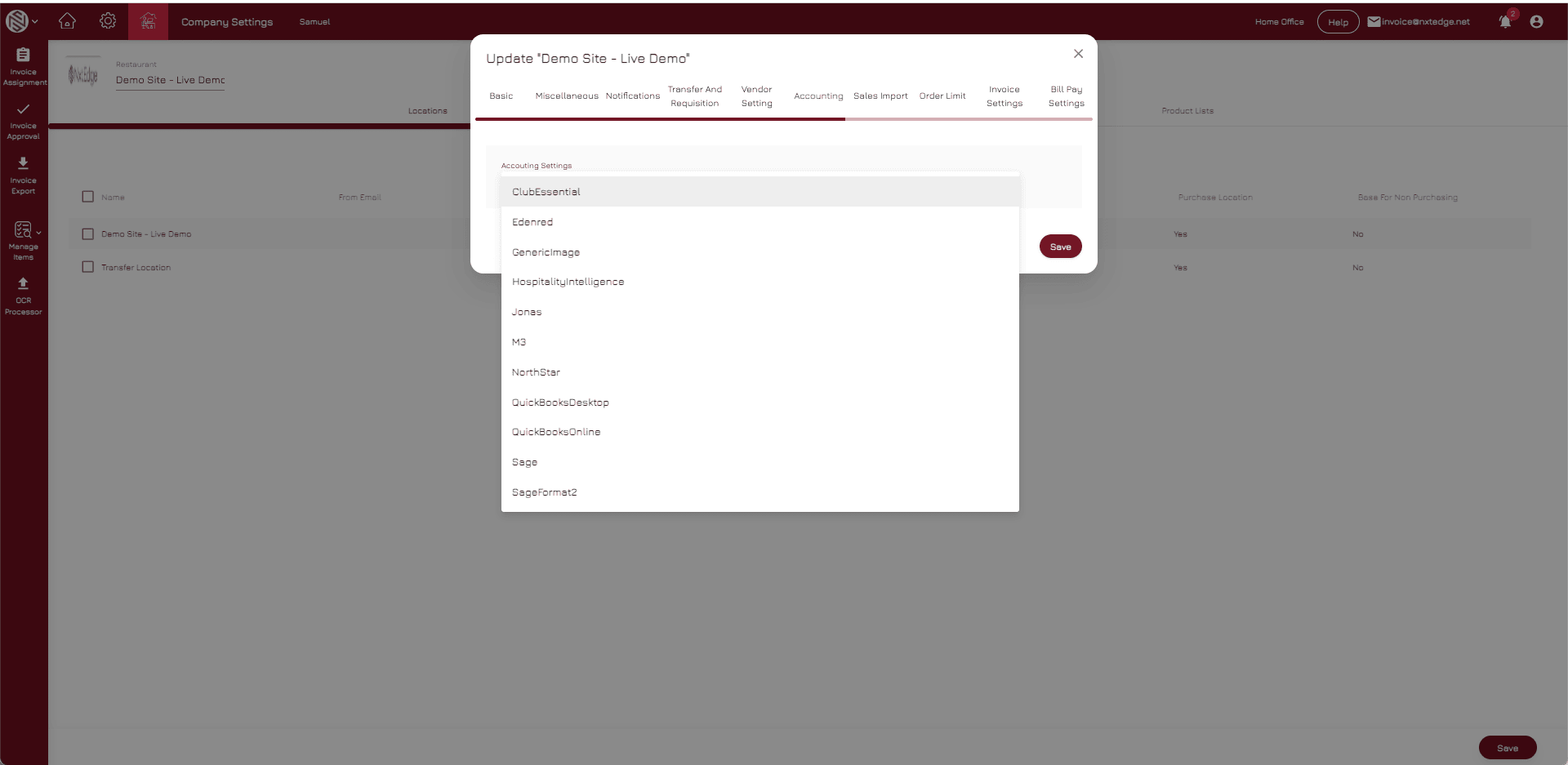
- API Integrations
Connect directly to supported accounting platforms through secure APIs.
- FTP Delivery
Deliver accounting export files automatically through FTP workflows.
- Email Delivery
Send accounting exports through automated email delivery.
- File Import Options
Support accounting systems that require manual file imports.
- Flexible Accounting Connectivity
Integrate with accounting platforms using the method they support.
Create Bills & Update Accounting
NxtEdge sends vendor information, invoice details, GL coding, terms, due dates and supporting documentation into accounting. When Bill Pay is used, invoices can also be updated as paid after payment is completed.
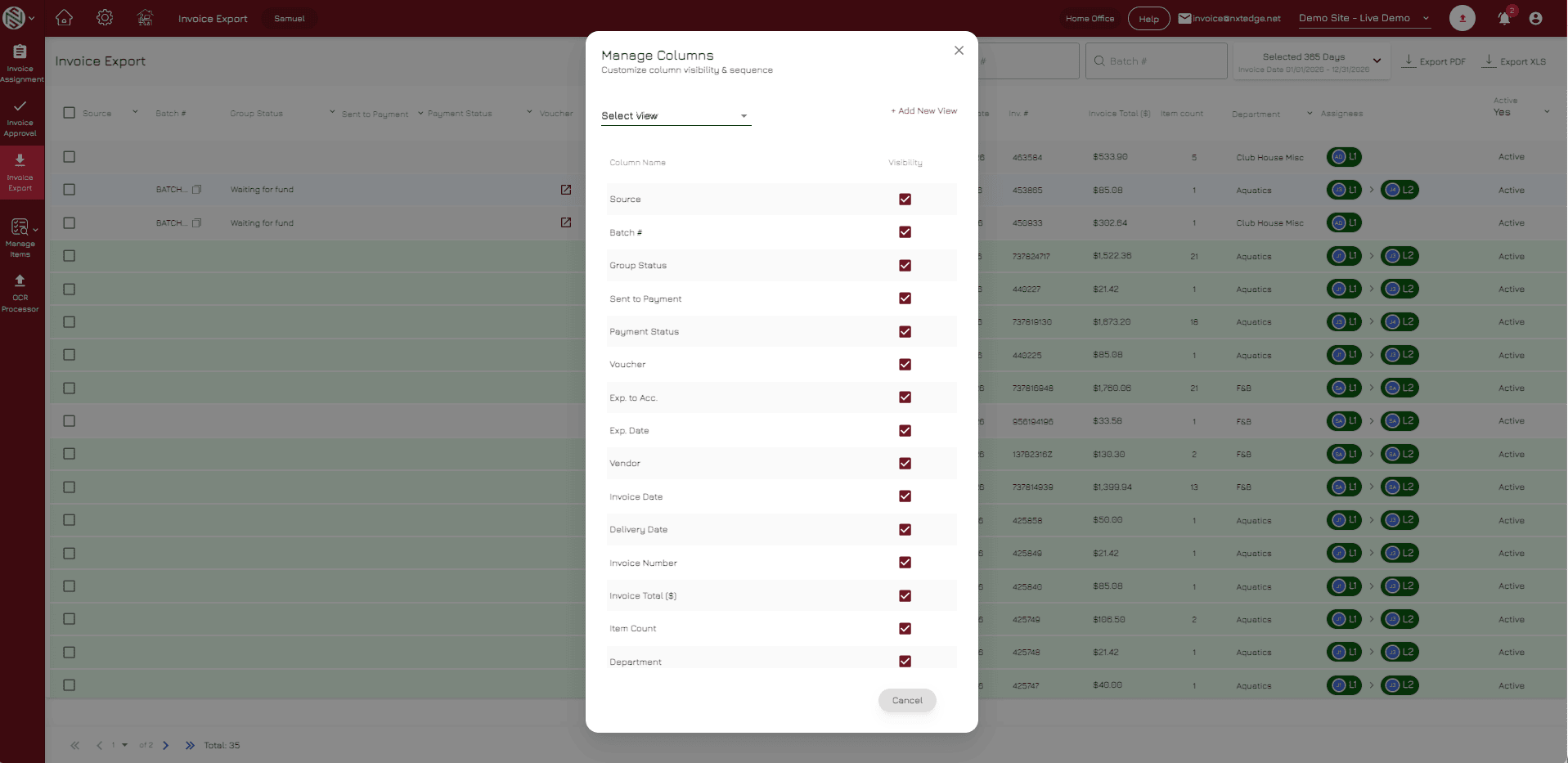
- Vendor Matching
Match NxtEdge vendors to accounting vendor records automatically.
- Bill Creation
Create accounting bills directly from approved invoices.
- Due Date Management
Calculate and transfer invoice due dates and payment terms accurately.
- Invoice Images
Attach invoice images when supported by the accounting platform.
- Paid Invoice Updates
Update accounting records when invoices have been paid through Bill Pay.
Accounting Should Never Require Duplicate Entry
Accounting Integration completes the NxtEdge AP workflow by connecting invoice automation, approvals and bill pay directly to your accounting system. Accounting teams receive clean, approved financial data without manually entering invoices or managing disconnected workflows.
- Invoice Automation
- Invoice Approval
- Bill Pay
- Vendor Management
- Digital Invoice Archive
- Food & Beverage Inventory
- Department-Level Coding
- Multi-Location Operations
Ready to Eliminate Duplicate Data Entry?
Connect NxtEdge to your accounting platform and automate the flow of approved financial data.