


How POS Integration Works in NxtEdge
NxtEdge connects sales data from your POS system directly to recipes, inventory and food cost reporting. Automatically import menu sales, calculate theoretical usage and gain visibility into operational performance from one connected platform.
Whether you're operating a restaurant, country club, hotel, senior living community or multi-unit group, NxtEdge helps turn sales data into actionable cost control insights.
- Automated Sales Imports
- Recipe Depletion
- Theoretical Food Cost
- Menu Analysis & Profitability
- Inventory Consumption Tracking
- Multi-Location POS Integration
How Sales Data Enters NxtEdge
NxtEdge supports multiple methods of receiving POS sales data including API integrations, imported sales files, email imports and custom workflows.
NxtEdge supports multiple ways to receive POS sales data.
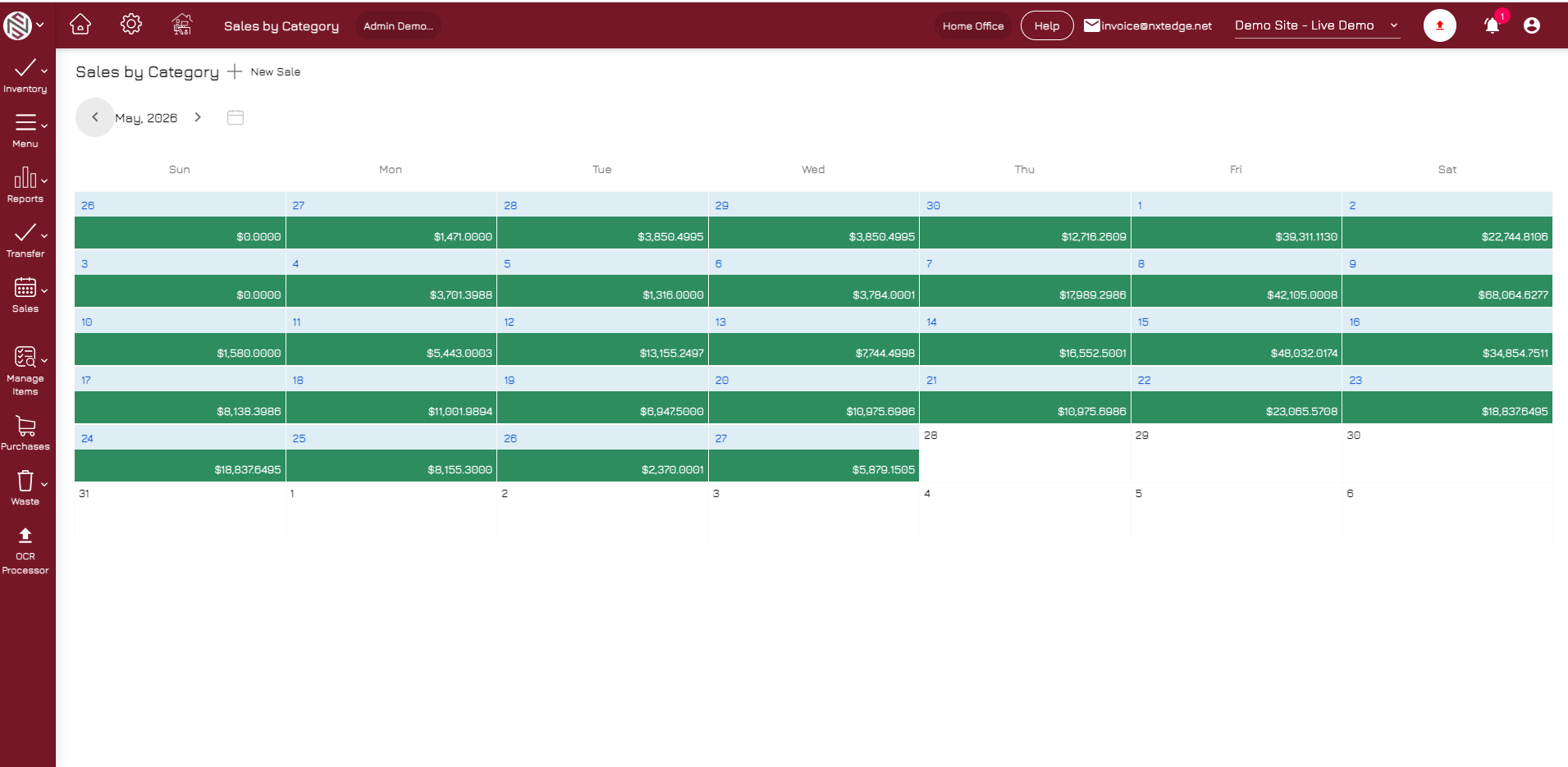
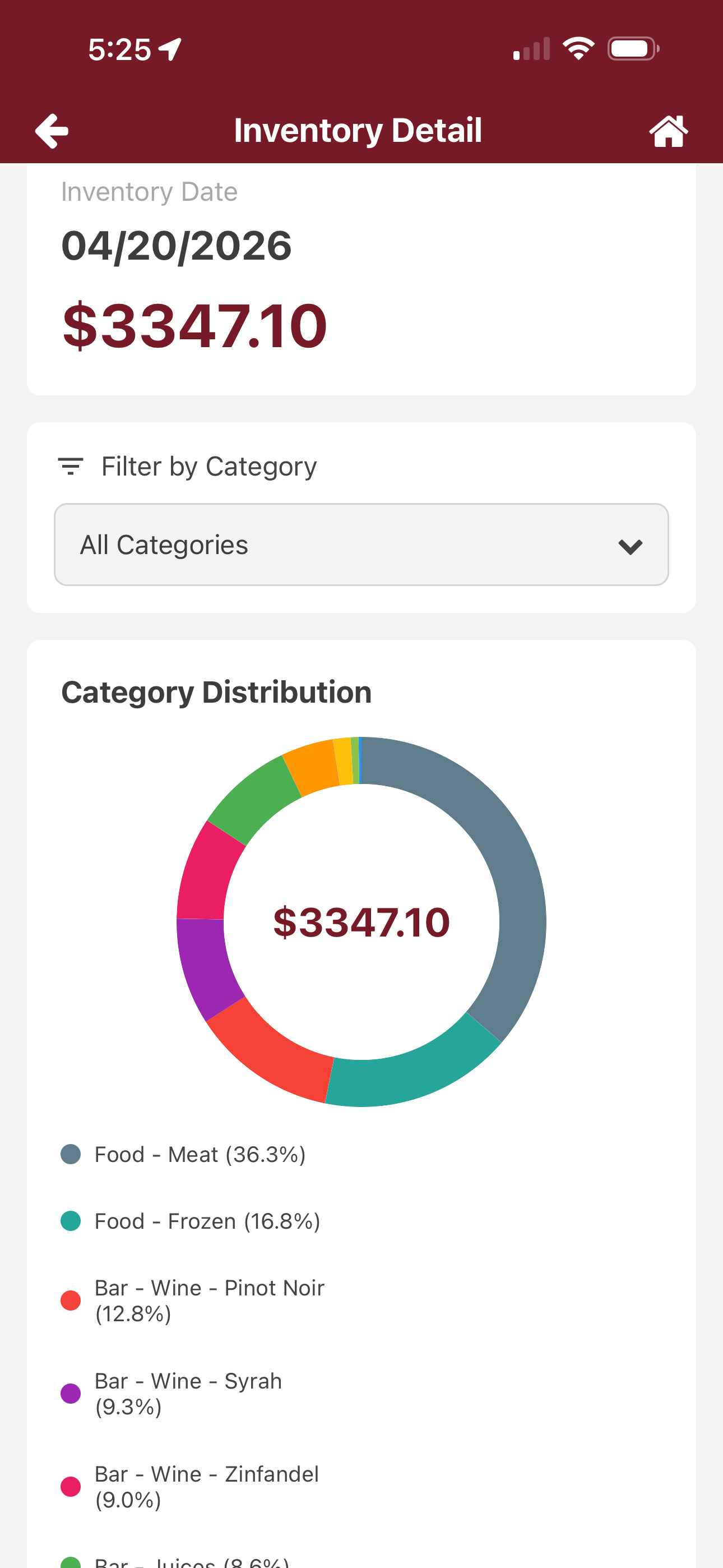
Direct Integrations
Connect directly to supported POS systems to automate sales imports.
Sales Files
Import sales data through scheduled file transfers and exports.
Category Mapping
Map POS sales categories to NxtEdge reporting categories.
Multi-Location Support
Consolidate sales data across multiple locations and outlets.
How Sales Become Inventory Usage
Once menu items are linked to recipes, NxtEdge automatically calculates theoretical ingredient usage based on actual sales activity.
Sales automatically deplete inventory through your recipes.
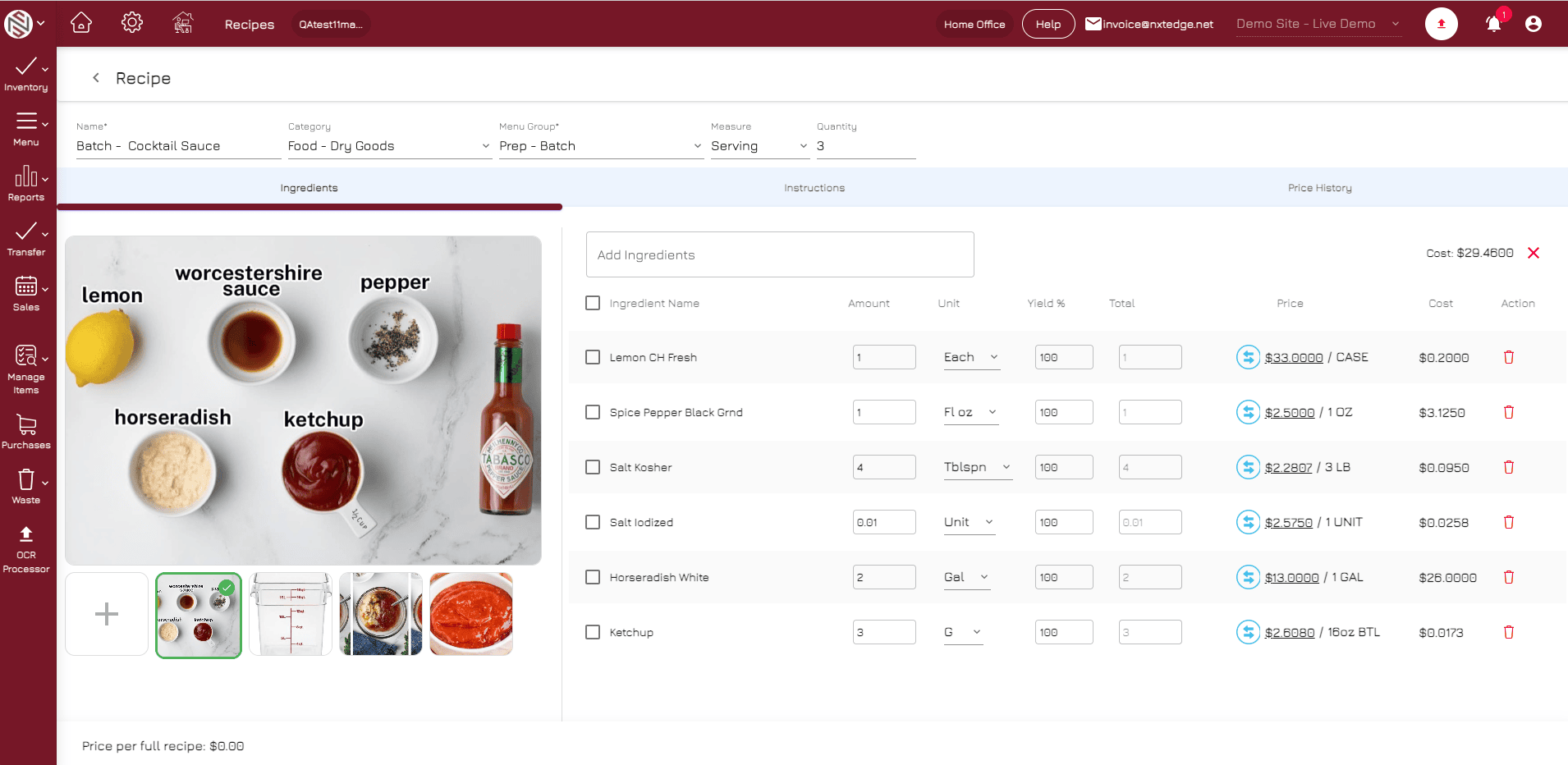
Menu Item Mapping
Connect POS menu items to NxtEdge recipes.
Ingredient Usage
Calculate expected inventory consumption from sales.
Recipe Depletion
Reduce inventory theoretically based on recipe ingredients.
Batch Recipe Support
Support sub-recipes and prep recipes within depletion calculations.
How Food Cost and Profitability Are Calculated
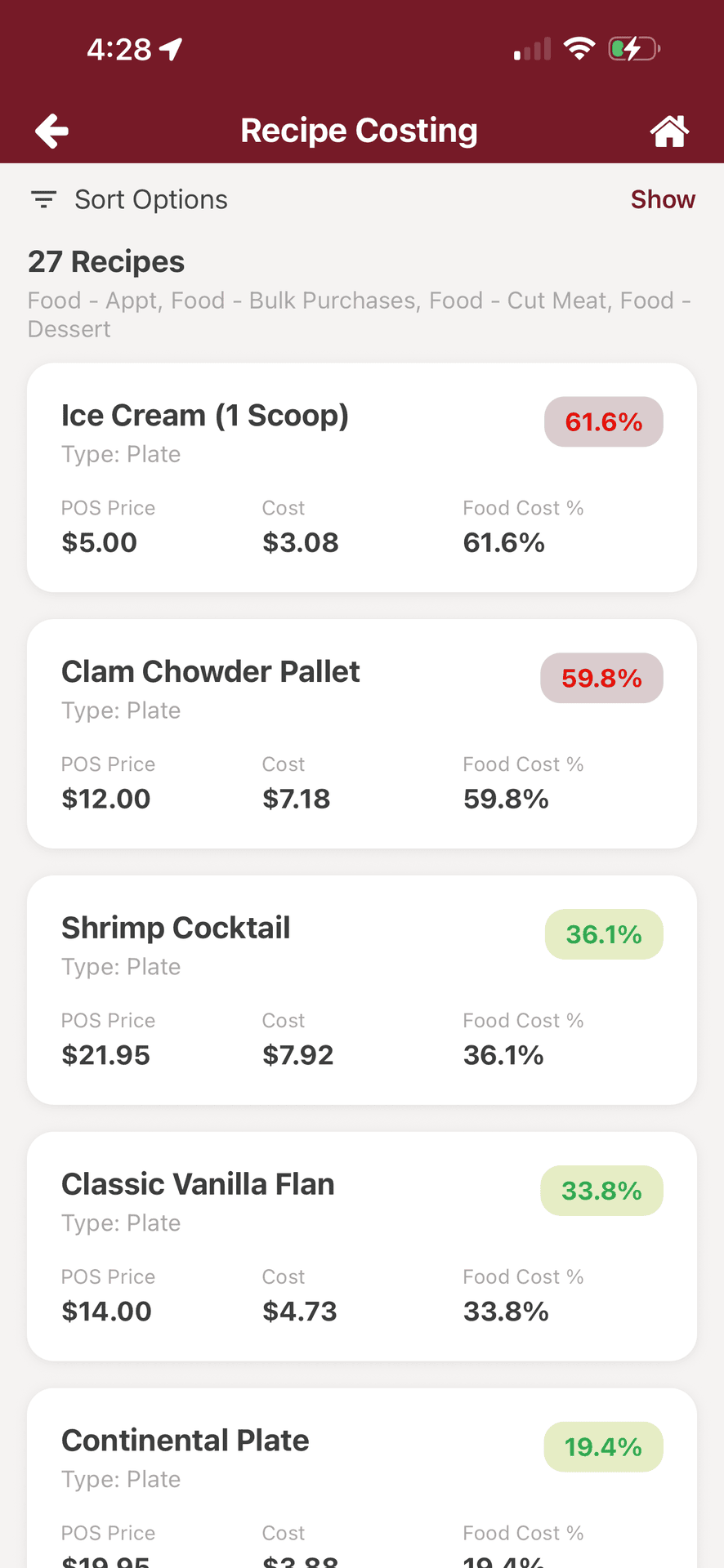
Sales data becomes operational intelligence when connected to recipes, purchasing and inventory.
Compare actual vs. theoretical to control food cost.
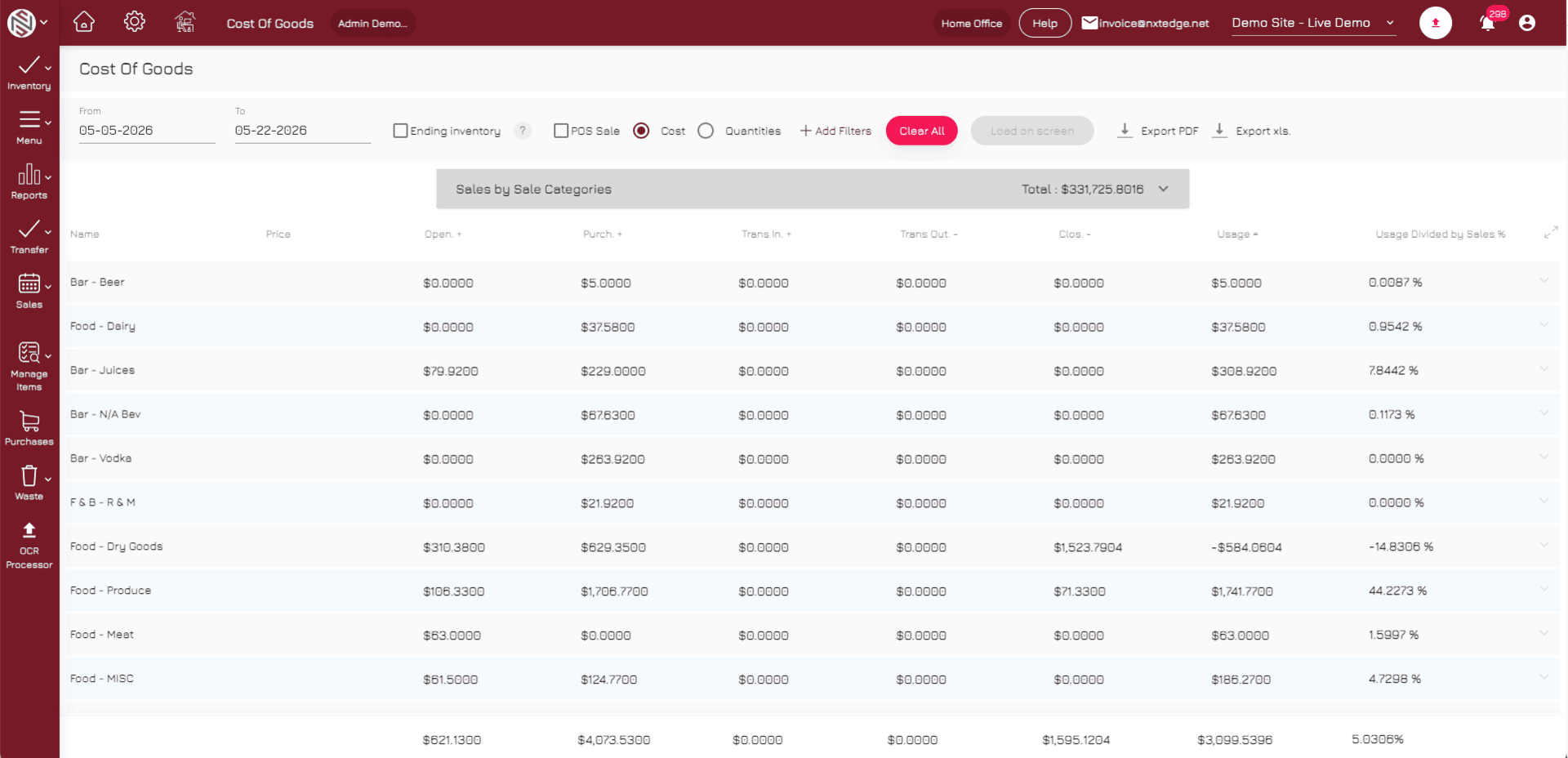
Menu Mix Analysis
Understand what menu items are selling most frequently.
Profitability Analysis
Review contribution margins and food cost percentages.
Theoretical Food Cost
Calculate expected food cost based on recipes and sales.
Actual vs Theoretical
Compare expected usage against inventory and purchasing activity.
Reporting That Drives Better Decisions
NxtEdge combines POS sales, inventory, purchasing and recipe data into one reporting environment.
One reporting environment across sales, inventory and purchasing.
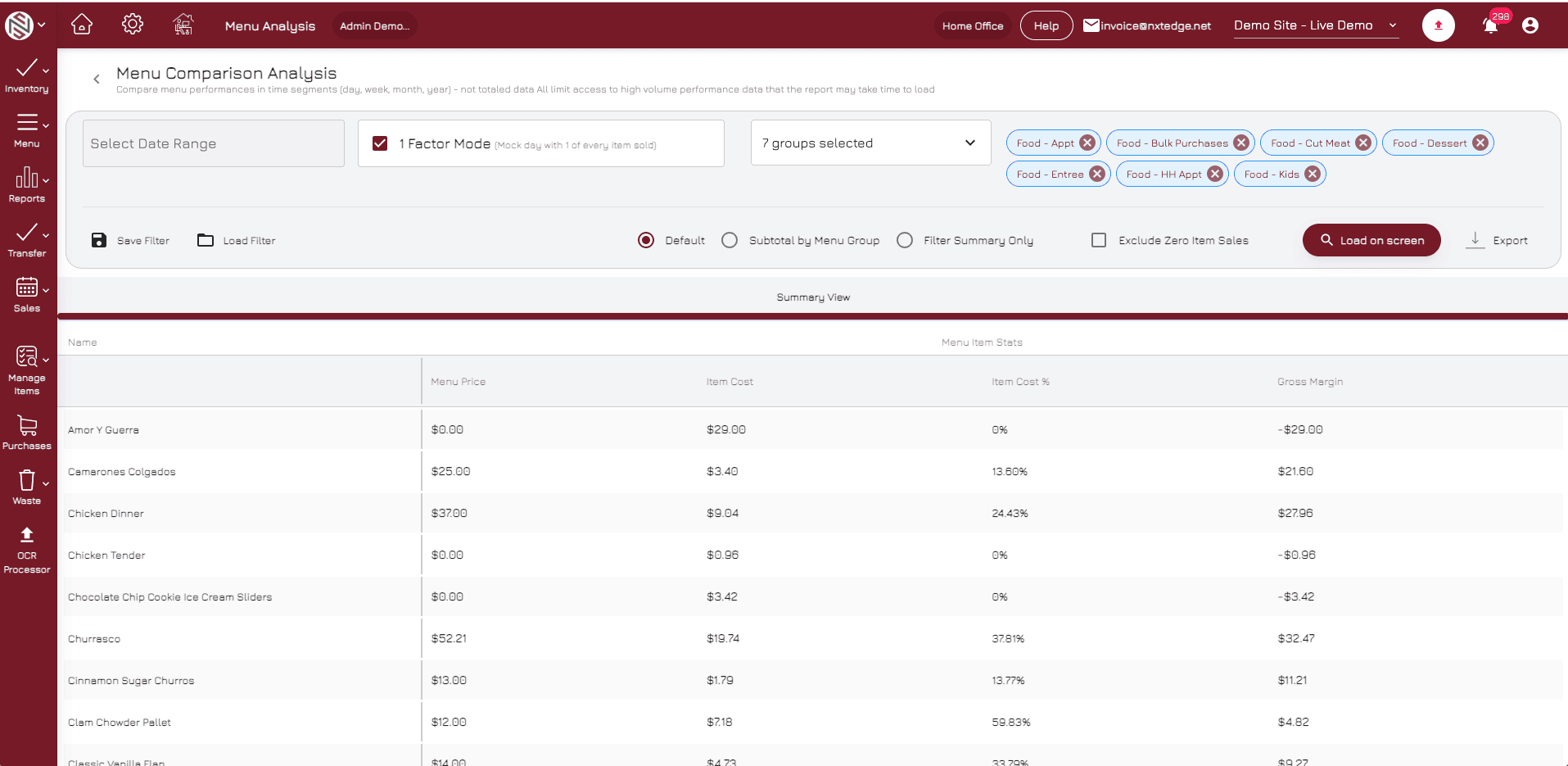
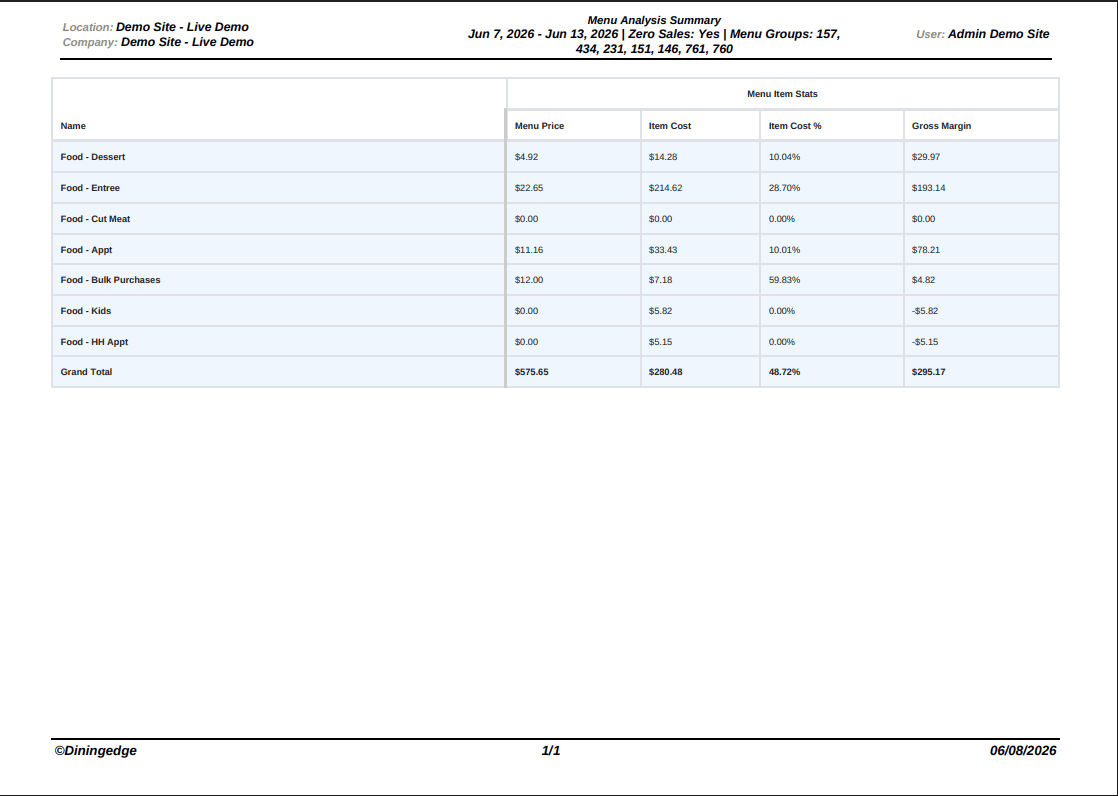
Food Cost Reporting
Monitor food and beverage cost performance.
Variance Reporting
Identify inventory discrepancies and unusual usage patterns.
Sales Trends
Review category and product performance over time.
Multi-Location Visibility
Compare performance across locations, departments and outlets.
POS Is Just One Piece of the Workflow
- Recipe Costing
- Menu Analysis
- Inventory Control
- Purchasing
- Vendor Price Comparison
- Invoice Automation
- Waste Management
- Reporting & Visibility
- Food Cost Reporting
Ready to Connect Sales Data to Cost Control?
Transform sales data into food cost visibility, profitability reporting and operational intelligence — all in one connected workflow.
Schedule a Demo