

POS Integration
What If Every Sale Updated Your Food Cost Automatically?
Turn Daily Sales Into Real Food Cost Insight.
Connect POS sales to recipes, inventory, purchasing, and reporting. NxtEdge transforms daily menu mix data into theoretical food cost, inventory depletion, menu analysis, variance reporting, and operational intelligence.
Whether you're operating a restaurant, country club, hotel, resort, or senior living community, POS integration helps you understand what was sold, what was consumed, and where profit is being gained or lost.
- Connect Your POS Data
- Deplete Inventory Automatically
- Track Menu Profitability
- Compare Actual vs. Theoretical Cost
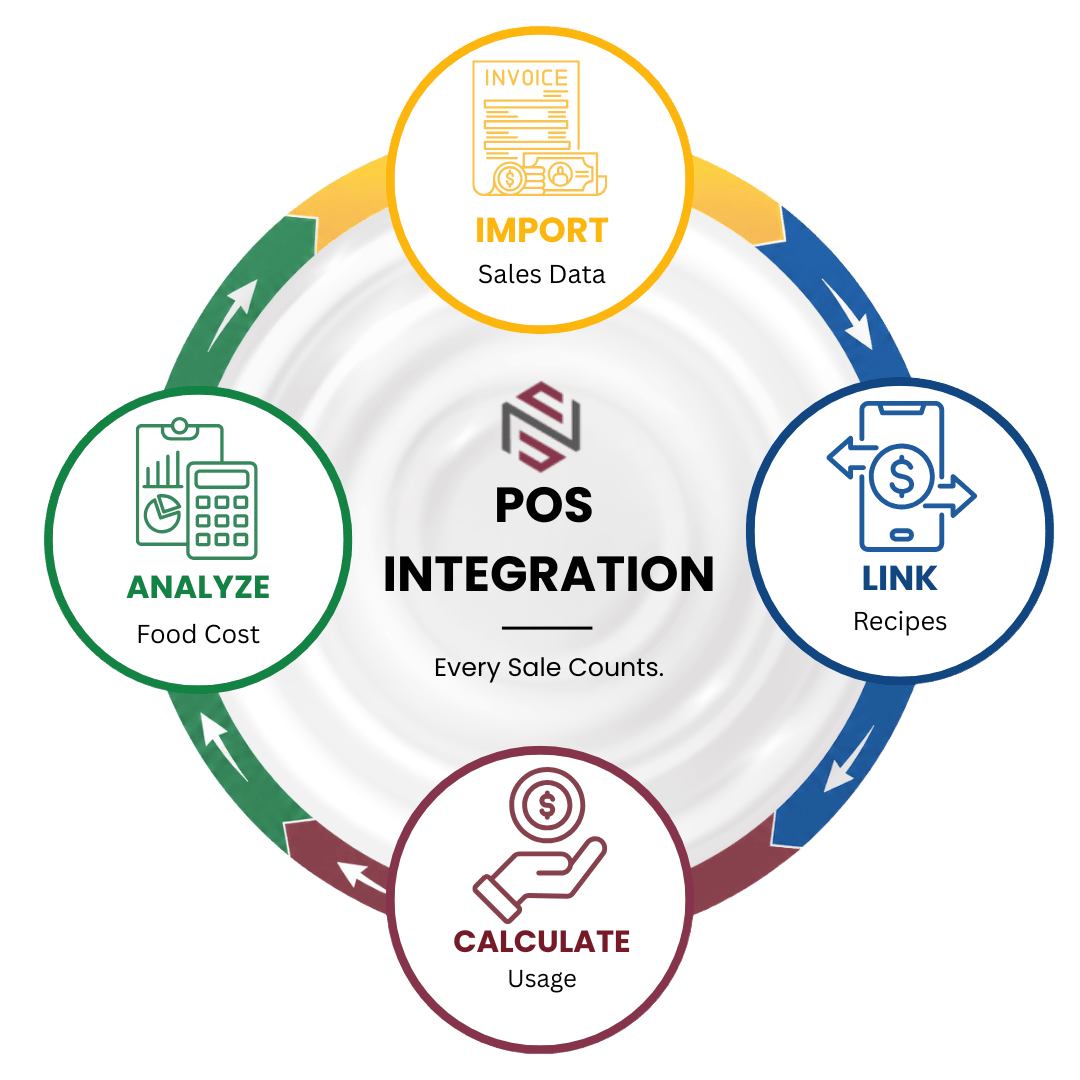

From Sales Data to Operational Intelligence
Connect POS sales to recipes, inventory, and reporting — one automated flow from every sale to live food cost.
Import
Import Sales Data
Receive daily POS sales, menu mix, and category sales information from your point of sale system. Automatically import quantities sold, average selling prices, and sales activity to create the foundation for menu analysis and food cost reporting.
- Daily Menu Mix
- Quantity Sold
- Average Selling Price
- Sales Categories
- Automated Imports
Connect
Connect Sales to Recipes
Link POS menu items to recipes to combine daily sales volume with real-time ingredient costs. As invoice pricing changes, menu item costs automatically update, providing an accurate view of food cost performance.
- Recipe Linking
- Daily Cost Updates
- Menu Item Mapping
- Real-Time Costing
- Cost History Tracking
Calculate
Calculate Usage
Use POS sales data to calculate theoretical inventory consumption and automatically deplete inventory based on recipe ingredients and menu sales activity.
- Inventory Depletion
- Theoretical Usage
- Ingredient Consumption
- Batch Ingredient Usage
- Automated Calculations
Analyze
Analyze Performance
Transform menu sales into actionable operational intelligence. Analyze food cost percentages, menu profitability, variance reporting, and cost trends using both actual POS sales and NxtEdge's One Factor methodology.
- Menu Analysis
- Variance Reporting
- Food Cost %
- Profitability Tracking
- One Factor Analysis
Features
Sales Data Connected to Cost Control
Menu Intelligence
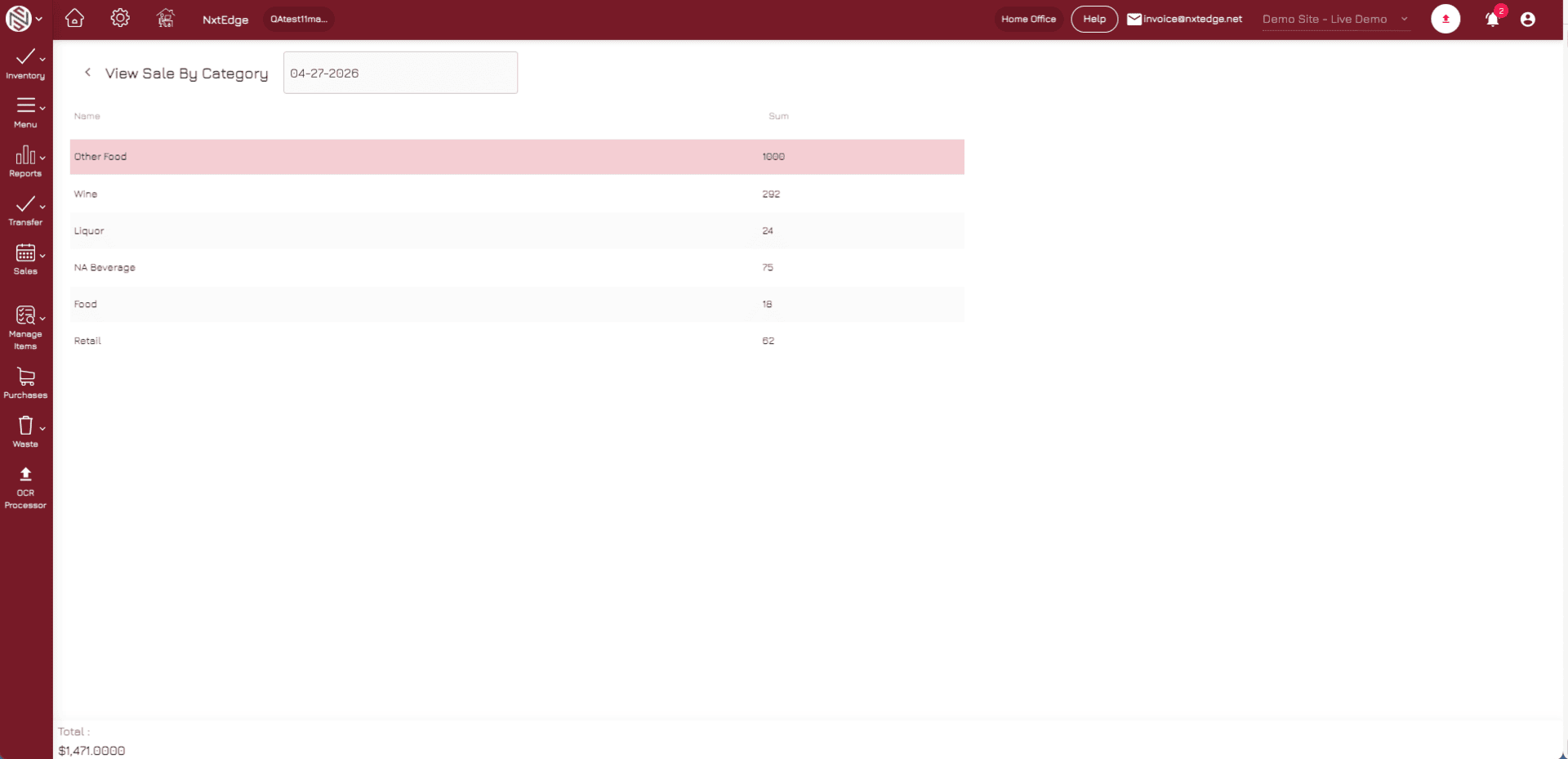
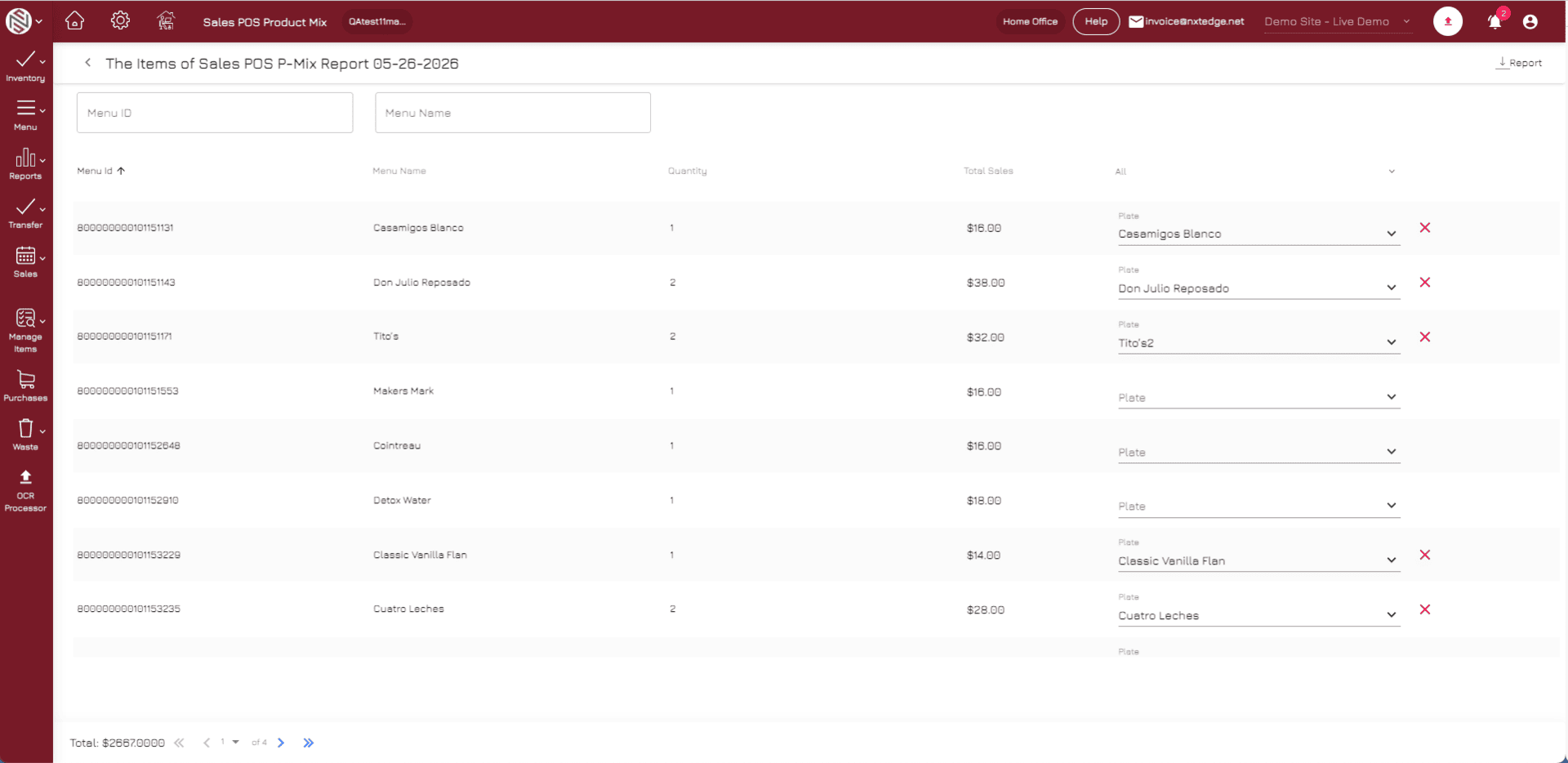
Daily Menu Mix Analysis
Turn POS sales data into actionable menu intelligence. NxtEdge imports daily menu mix, quantities sold, and sales activity to track performance by menu item, category, or department. Understand what your guests are buying and how sales trends impact food cost and profitability.
Recipe Costing
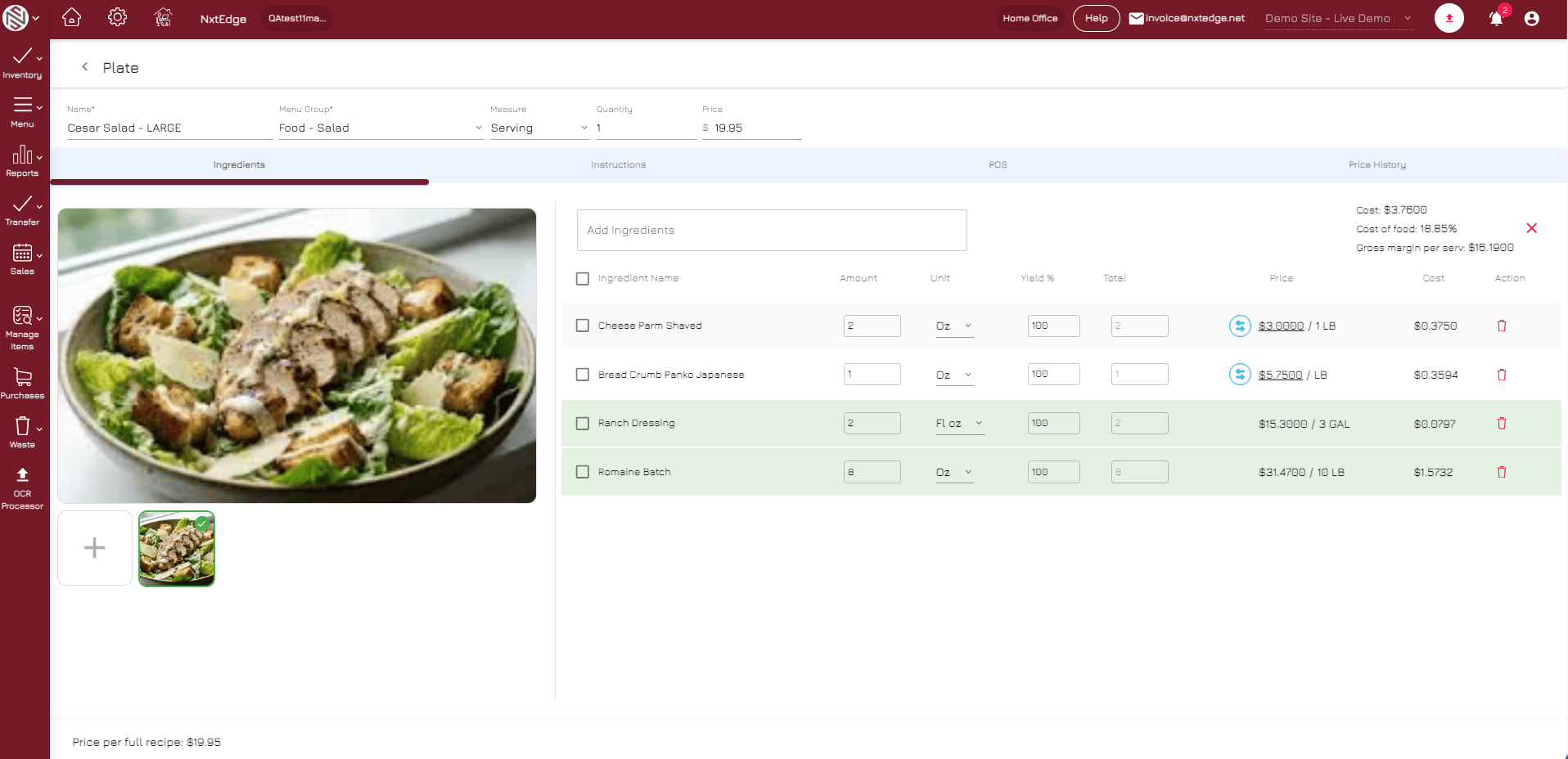
Real-Time Recipe Cost Tracking
Connect POS sales to recipes and ingredient costs to understand the true cost of every menu item sold. As purchasing and invoice prices change, recipe costs automatically update—giving operators an accurate view of food cost performance every day.
Inventory Automation
Automated Inventory Depletion
Every menu item sold automatically depletes theoretical inventory based on recipe ingredients and usage. Track inventory consumption without manual calculations while maintaining visibility into what should have been used versus what was actually consumed.
Variance Reporting
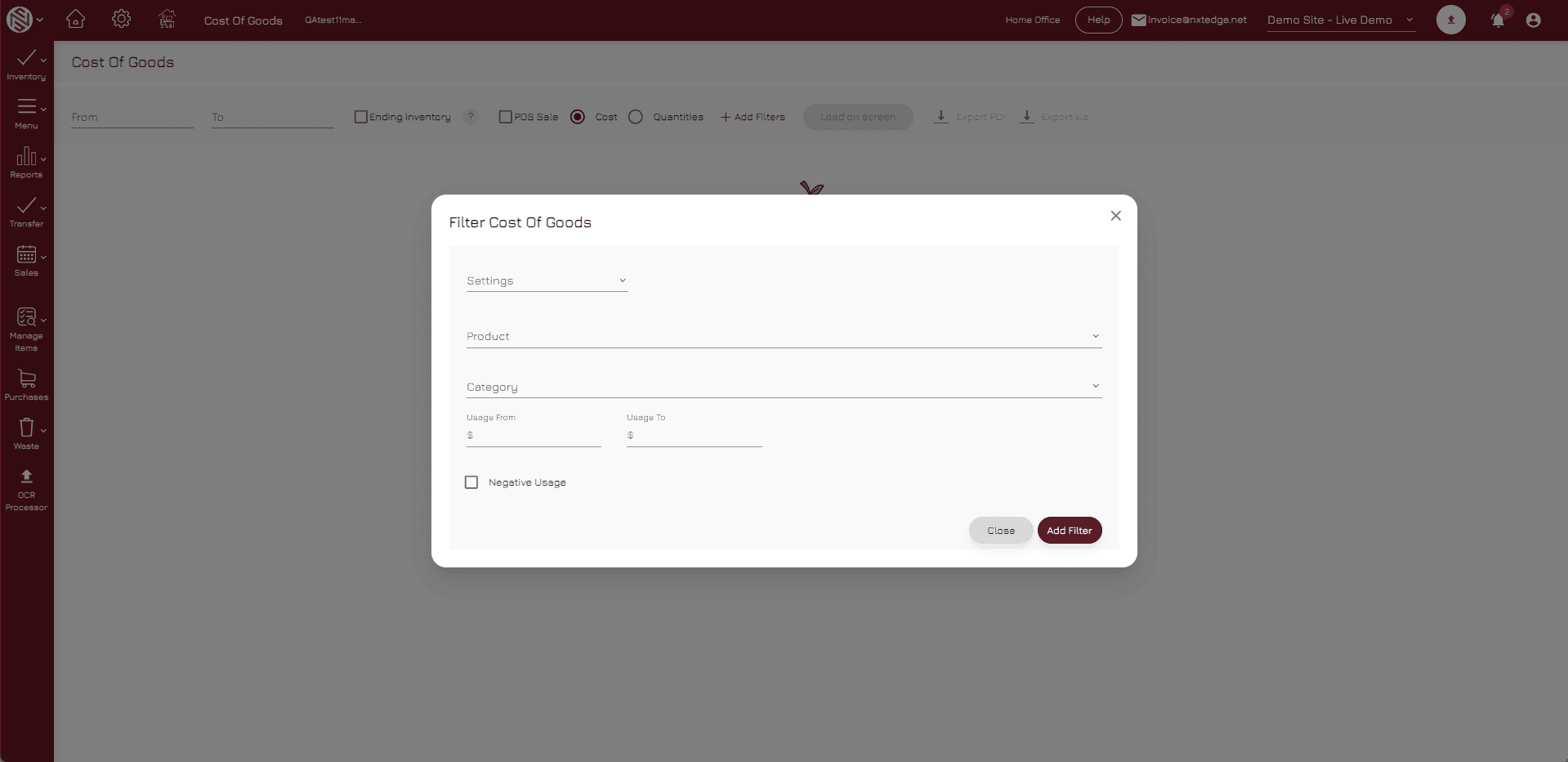
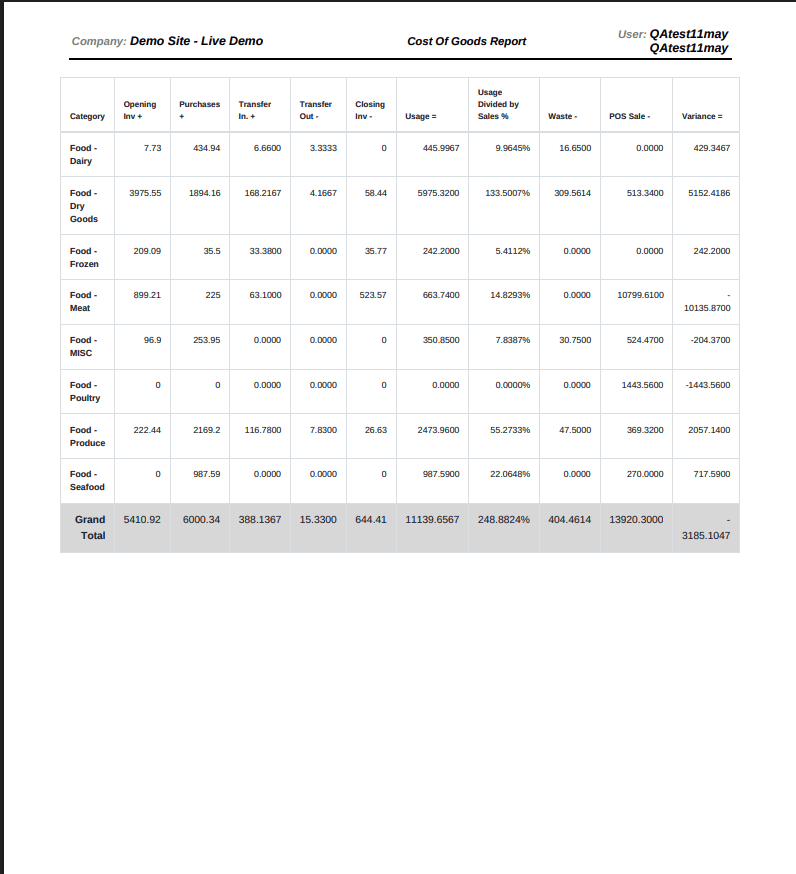
Actual vs Theoretical Variance Reporting
Compare calculated inventory usage against actual inventory activity to identify over-portioning, waste, theft, production issues, and operational inconsistencies. Gain visibility into where inventory and food cost variances are occurring.
Profitability Intelligence
Menu Profitability & Food Cost Intelligence
Transform POS sales, recipe costs, inventory, and purchasing data into meaningful profitability reporting. Analyze menu item profitability, contribution margins, food cost percentages, and menu performance using actual POS sales or NxtEdge's One Factor methodology.
Why It Matters
Sales Data Alone Doesn't Explain Food Cost
Most POS systems tell you what was sold. NxtEdge tells you what those sales mean.
By connecting sales activity to recipes, inventory and purchasing, operators gain a complete understanding of food cost, profitability and operational performance.
Know What Was Used
See how sales translate into ingredient consumption and inventory depletion.
Identify Variances
Find discrepancies between expected and actual inventory usage.
Improve Profitability
Use data to make smarter pricing, purchasing and menu decisions.
Benefits
Why Operators Connect POS to NxtEdge
Improve Food Cost Visibility
Understand where food cost is increasing and why.
Reduce Inventory Variances
Compare theoretical and actual inventory performance.
Optimize Menu Pricing
Identify profitable and underperforming menu items.
Make Better Purchasing Decisions
Use actual sales data to improve ordering and inventory planning.
Gain Real-Time Visibility
Access operational reporting across inventory, recipes and sales.
Connected Solutions
One Connected Sales & Cost Control Workflow
POS Integration becomes even more valuable when connected to the rest of the NxtEdge platform.
Why NxtEdge
Built for Hospitality Operations
Works With or Without POS
Recipe costing and menu analysis work today; connect POS to unlock theoretical usage, depletion and variance reporting.
Recipe-Level Visibility
Track food cost and profitability down to the ingredient level by connecting recipes to actual sales activity.
Multi-Location Expertise
Consolidate reporting across restaurants, clubs, hotels, resorts and multi-unit operations.
Hospitality-Focused Reporting
Designed specifically for food and beverage operators, not generic retail environments.
One Connected Platform
Sales, inventory, recipes, purchasing, invoices and reporting all work together in one system.
Compatible POS Platforms
Integrates With Leading POS Systems



Don't see your POS system?
Watch the Solution Overview
Overview Video Coming Soon
Ready to Turn Sales Data Into Better Decisions?
Connect POS sales to recipes, inventory and food cost reporting to gain the visibility needed to improve profitability and control costs.